Phone Farm Box Connection Method
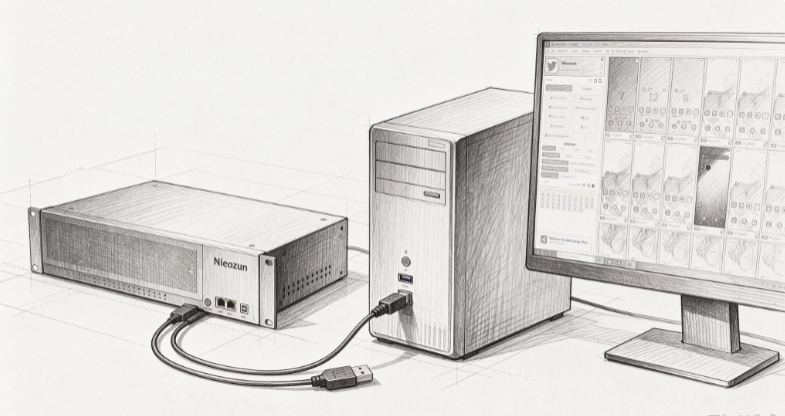
1. Connect to your computer by following the connection instructions for the Niaozun mobile farm box.
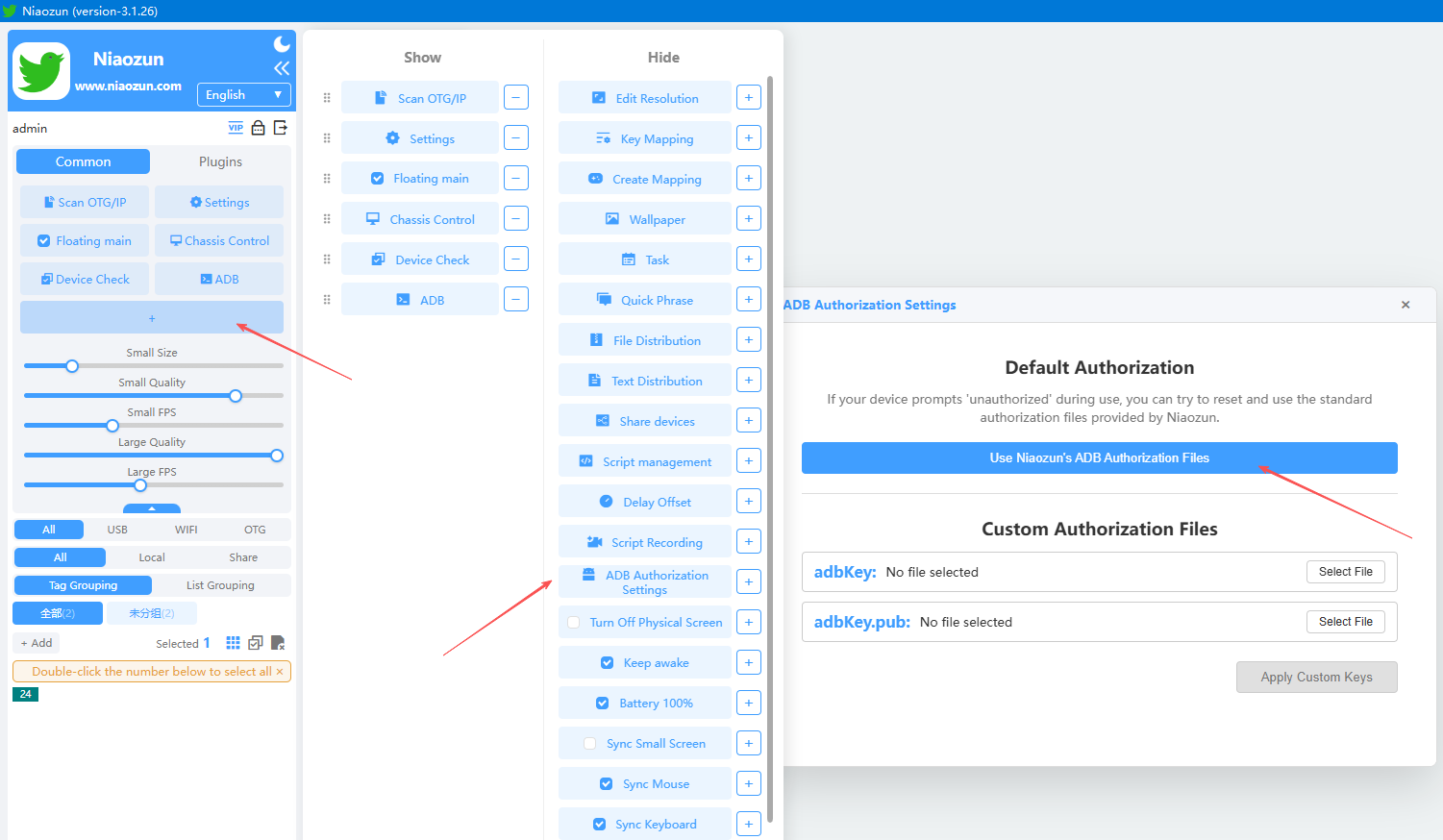
2. If, after powering on a purchased official-system "phone farm" box, the mobile devices fail to appear in the software, you will need to overwrite the existing files with the provided ADB files; once this is done, the devices will appear correctly.
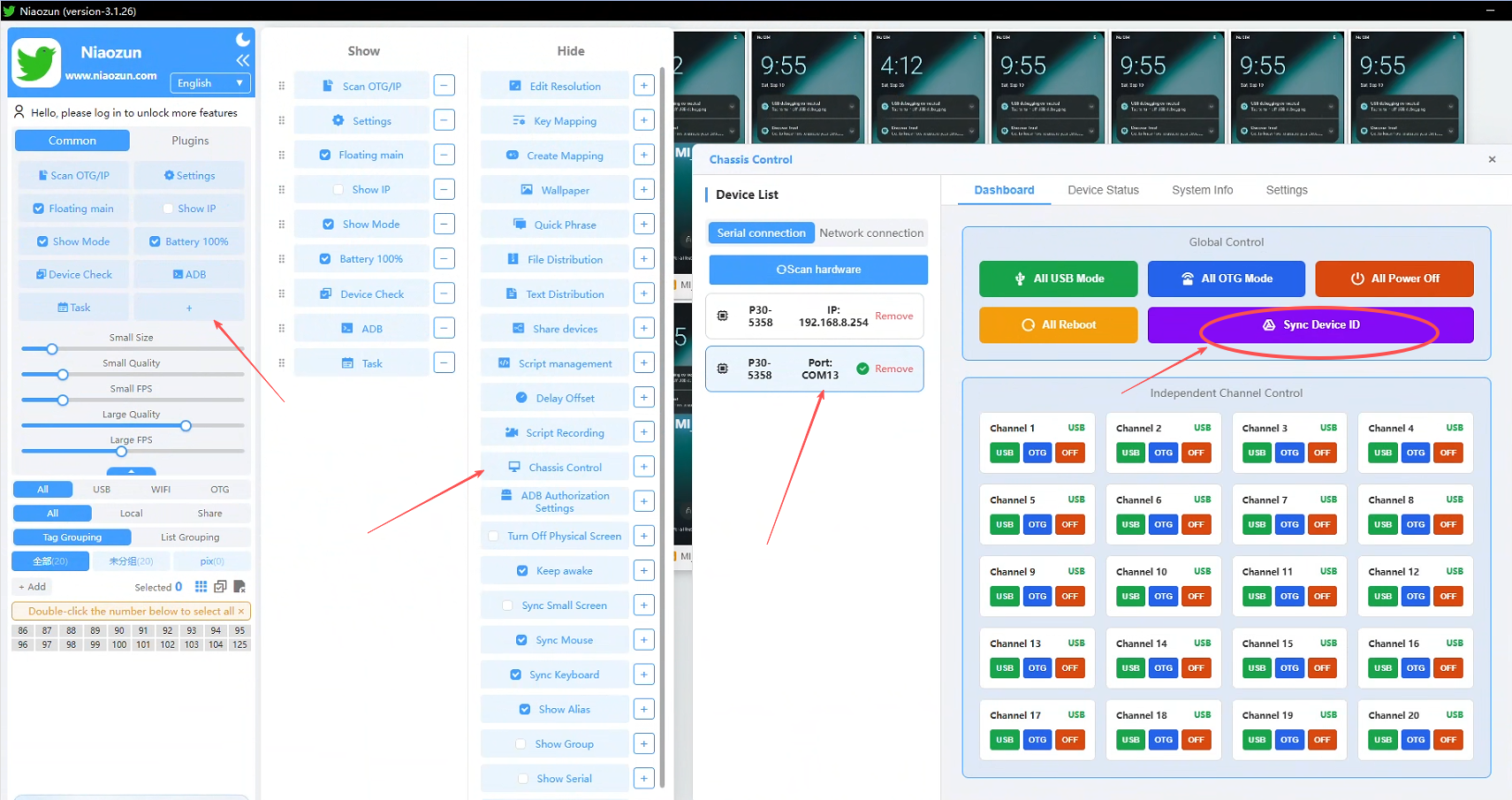
3. Control via the mobile farm hub/enclosure: This allows for switching between USB and OTG modes, powering mobile phones on or off, and supports both global control (all phones) and individual control (specific phone positions).
The phone identification numbers in the software are assigned based on the order in which the computer detects the connected devices. If you need to synchronize these identifiers with the physical slots in the enclosure, you can click "Sync Enclosure IDs."